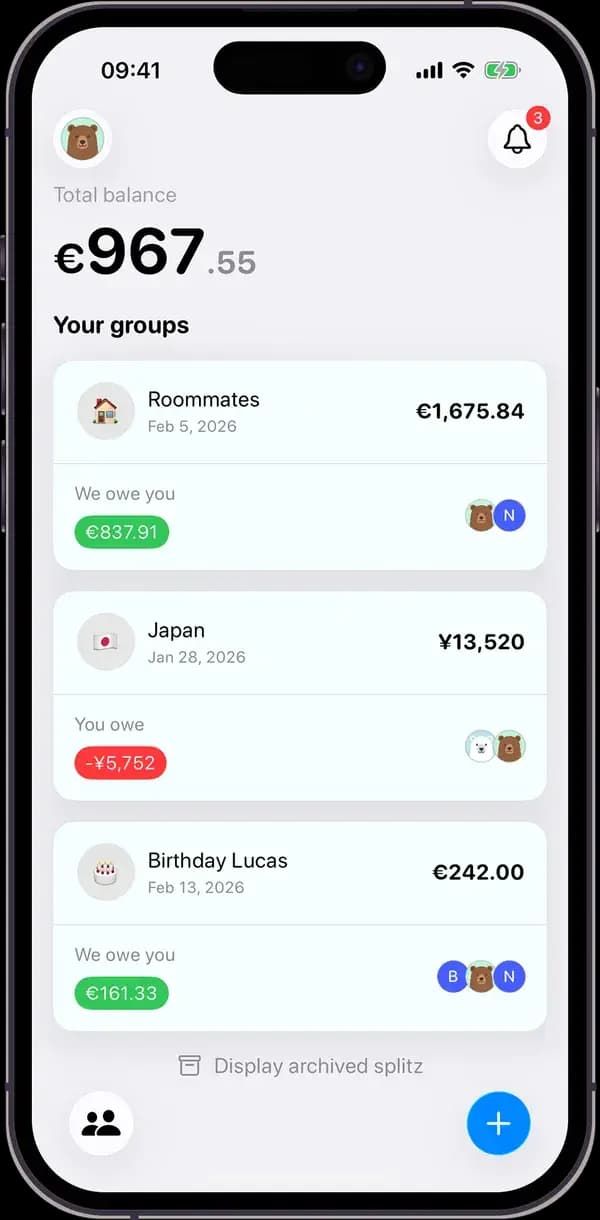
Splitz, the Tricount alternative that reads your receipts
Tricount is free, simple and already on a lot of phones. Splitz starts from a different idea: instead of typing every expense, you photograph the receipt and everyone picks up their own lines. Here is what actually differs between the two, including where Tricount stays ahead.
Updated
The short answer
- Pick Splitz if you often share bills or groceries where people didn't all have the same thing: the receipt is read line by line and each item goes to the right person.
- Pick Splitz if some expenses come back every month (rent, internet, subscriptions): Splitz Pro adds them automatically.
- Tricount remains a good choice if your expenses are mostly totals split evenly, if you want an entirely free app, or if you often log expenses without a connection.
Splitz and Tricount, point by point
| Splitz | Tricount | |
|---|---|---|
| Price | Free. Optional Splitz Pro subscription (unlimited scans, recurring expenses). | Free. The Premium plan was discontinued in June 2026. |
| Receipts | The photo is read: every item and its price are detected. | The photo is attached to the expense. |
| Split modes | Equal shares, by item, or custom amounts. | Equal shares or custom amounts. |
| Recurring expenses | Yes, with Splitz Pro: rent, subscriptions, bills. Can be paused. | No such feature presented by Tricount. |
| Currencies | 139 currencies, automatic conversion. | Automatic conversion into a single currency. |
| Settling up | Computes the fewest transfers. Splitz never moves money. | Can link a bunq account: purchases made with the bunq card are added automatically. |
| Devices | iPhone, iPad and Android. | iPhone and Android. |
| Publisher | Reflective SAS, France. Data hosted in the European Union. | bunq, the Dutch neobank that has owned Tricount since 2022. |
What changes when the bill arrives
Four friends at a restaurant, a seven-line receipt, €91 in total. Hugo paid. In an app that splits amounts, you add a €91 expense and choose: equal shares, or working out by hand what each person had.
In Splitz, Hugo photographs the receipt. Every line shows up with its price, and you tap names: the pizza for Léa, the bottle of wine for the three who drank it, the water for everyone, the tiramisu for the two who shared it.
| By item | Equal shares | |
|---|---|---|
| Léa | €22.00 | €22.75 |
| Tom | €29.00 | €22.75 |
| Inès | €16.50 | €22.75 |
| Hugo | €23.50 | €22.75 |
With equal shares, Inès overpays by €6.25 and Tom pays €6.25 less than what he had. Nobody minds once, but over a trip or a shared flat those gaps add up. Splitz then works out what each person owes Hugo: Léa €22, Tom €29, Inès €16.50.
What Tricount does better
- Everything is free, with no subscription: since Premium ended, Tricount has no paid plan.
- Expenses can be added offline and sync once you're back online.
- It is widespread: in many groups, someone already has it installed.
- With a linked bunq account, card purchases land in the group on their own.
What changed at Tricount in 2026
With the new version of its app, Tricount discontinued its Premium plan (help article dated June 9, 2026). The app is now entirely free, but some Premium features are gone: CSV and PDF export, and personal mode. Statistics and saving custom splits are announced for a later update.
Switching from Tricount to Splitz
- Settle the current group in Tricount, or write down everyone's balance.
- Create the group in Splitz and share the invite link. You can add guests who don't have the app yet: their expenses count from the start.
- If balances need carrying over, add a starting expense with custom amounts that reproduces them.
- From then on, photograph receipts instead of typing amounts, and set up monthly expenses once.
Frequently asked questions
What is the main difference between Splitz and Tricount?
Splitz reads the receipt: every item and its price are detected, then assigned to one or more people. Tricount splits amounts, equally or custom, and lets you attach a photo of the receipt to the expense.
Is Splitz free like Tricount?
For the essentials, yes: unlimited groups and expenses, balance calculation, real-time sync and a monthly allowance of receipt scans are free. The optional Splitz Pro subscription unlocks unlimited scans and recurring expenses. Tricount is entirely free since it dropped its Premium plan in June 2026.
Is Tricount still free in 2026?
Yes. Tricount discontinued its Premium plan in June 2026 and the app is free. CSV and PDF export and personal mode, which were part of Premium, were removed.
Do my friends need to install Splitz to take part?
No. You can add them as guests: their expenses count right away, and they join the group from a personal link whenever they want.
Does Splitz work for trips abroad?
Yes. Splitz supports 139 currencies with up-to-date rates: each expense is entered in its original currency and converted automatically into the group's currency.