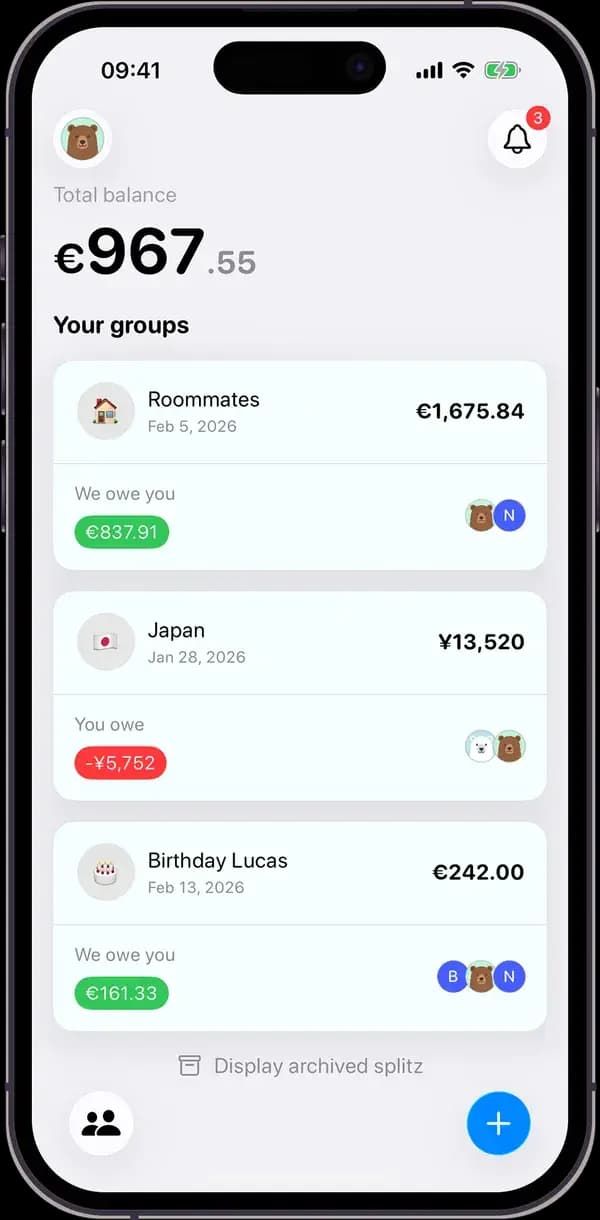
Splitz, the Splitwise alternative with no expense limit
Splitwise is the long-standing name in expense splitting. Since it added a daily expense limit to its free version, and with receipt scanning, itemization and currency conversion reserved for Splitwise Pro, many groups are looking elsewhere. Here is what each app gives you for free, and where Splitwise stays ahead.
Updated
The short answer
- Splitz has no limit on expenses in its free version. Splitwise's free version has a daily limit, which Splitwise Pro removes.
- Receipt scanning, item-by-item splitting and currency conversion are included in free Splitz (with a monthly scan allowance). In Splitwise, they are part of Pro.
- Splitwise remains a good choice if you want a web version, or recurring expenses without a subscription.
What's free, on each side
| Splitz free | Splitwise free | |
|---|---|---|
| Number of expenses | Unlimited. | Daily limit. Splitwise Pro removes it. |
| Receipt scanning | Included, with a monthly scan allowance. Unlimited with Splitz Pro. | Splitwise Pro only. |
| Item-by-item split | Included: each receipt line goes to one or more people. | Splitwise Pro only. |
| Currency conversion | Included, 139 currencies. | Splitwise Pro only. |
| Recurring expenses | With Splitz Pro. | Included. |
| People without an account | Added as guests from the app; they join by link whenever they want. | Everyone is expected to have an account. Name-only friends can be added from the web app. |
| Devices | iPhone, iPad and Android. | iPhone, iPad, Android and web browser. |
The daily limit, in practice
On a weekend away, expenses come in bursts: tolls, fuel, groceries, dinner, drinks, parking. That's easily eight or ten expenses in a day, often logged by the same person. With a daily limit, you wait until tomorrow, ask someone else in the group to log the rest, or upgrade to Splitwise Pro.
Splitwise's help page doesn't state the exact number of expenses allowed per day: it says the limit exists, that it resets, and that Pro removes it. Splitz's free version has no expense limit.
The receipt, read line by line
At a restaurant, not everyone orders the same thing. In Splitz, whoever paid photographs the receipt: every line shows up with its price, and you tap names. A bottle shared by three people is divided among those three; everything else goes to whoever ordered it.
Splitwise also offers scanning and itemization, but only in Splitwise Pro. Without a subscription, you enter the total and split it by hand.
What Splitwise does better
- A web version, handy for logging or checking expenses from a computer. Splitz is mobile-only.
- Recurring expenses are included in the free version. In Splitz they are part of Splitz Pro.
- Splitwise has been around for years and is widespread: in many groups, someone already uses it.
- Splitwise Pro can import purchases from a linked card, so you can split them with a tap.
Switching from Splitwise to Splitz
- Settle up the group in Splitwise, or write down what everyone owes.
- Create the group in Splitz and share the invite link. Members who don't have the app yet can be added as guests.
- If balances need carrying over, add a starting expense with custom amounts that reproduces them.
- From then on, photograph receipts instead of typing amounts.
Frequently asked questions
Is Splitwise still free?
Splitwise has a free version, but it has a daily expense limit. Receipt scanning, itemization, currency conversion and an interruption-free app are part of the Splitwise Pro subscription.
What is the difference between Splitz and Splitwise?
In their free versions, Splitz has no expense limit and includes receipt scanning, item-by-item splitting and conversion across 139 currencies, while Splitwise reserves those for Splitwise Pro. Splitwise also offers a web version and free recurring expenses.
Does Splitz have a daily expense limit?
No. Groups and expenses are unlimited in the free version of Splitz. Only receipt scans have a monthly allowance, which Splitz Pro lifts.
Do my friends need to create an account?
No. In Splitz you can add them as guests from the app: their expenses count right away, and they join the group from a personal link whenever they want.